
When building applications, you often need to store more than just a single value or a simple list of items. Sometimes, you need to connect two related pieces of information.
For example, if you are managing data for AI Learner Tech, instead of just having a list of student names, you might want to link each student’s name directly to their roll number or their enrolled course.
To connect related data point pairs securely, Python provides a powerful data structure called a Dictionary.
In this guide, we will break down the absolute basics of dictionaries, how to create them, and how to read the information inside them.
What is a Dictionary in Python? #
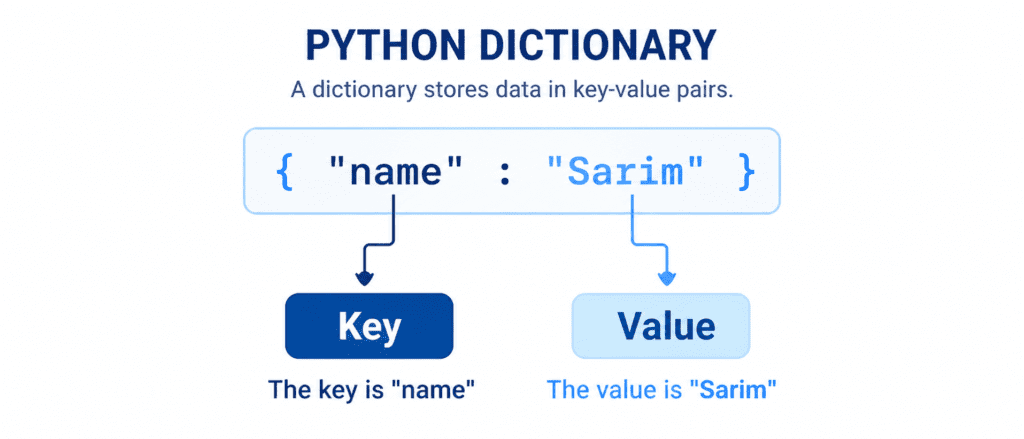
A Dictionary is a built-in Python data type used to store collections of data in Key-Value pairs.
Think of it like a real-world dictionary: you look up a word (the Key) to find its definition (the Value).
Characteristics of a Dictionary: #
- Ordered: Since Python 3.7, dictionaries maintain the order in which items are inserted.
- Changeable (Mutable): You can modify, add, or remove items after the dictionary is created.
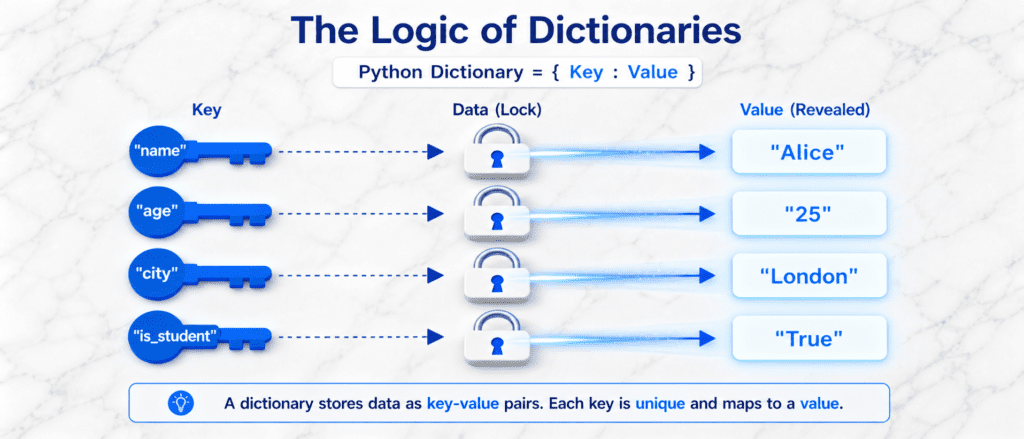
- Keys Must Be Unique: You cannot have two duplicate keys in a single dictionary. If you enter the same key twice, the new value will overwrite the old one.
- Syntax: Dictionaries are written with curly braces
{}, and each pair is separated by a colon (:).
Creating a Dictionary #
To create a dictionary, place your key: value pairs inside curly braces, separated by commas.
A Simple Student Record
# Storing a student's profile information
student = {
    "name": "Sarim",
    "roll_number": 101,
    "course": "Python Basics"
}

print(student)
print(type(student))
Output:
{'name': 'Sarim', 'roll_number': 101, 'course': 'Python Basics'}
<class 'dict'>
Dictionaries Do Not Allow Duplicate Keys #
If you use the same key twice, Python keeps the last value and removes the first one.
# Attempting to use duplicate keys
site_info = {
    "brand": "AI Learner Tech",
    "topic": "Python",
    "topic": "Data Science" # Overwrites the previous "topic"
}

print(site_info)
Output:
{'brand': 'AI Learner Tech', 'topic': 'Data Science'}How to Access Items in a Dictionary #
To extract the value linked to a specific key, you can use two main methods: Square Brackets [] or the .get() method.
Method A: Using Square Brackets [] #
Pass the name of the key inside square brackets right after the dictionary variable name.
course_details = {
    "title": "Python for Beginners",
    "duration": "4 Weeks",
    "level": "Easy"
}

# Accessing the value of the "title" key
print(course_details["title"])

# Accessing the value of the "duration" key
print(course_details["duration"])
Output:
Python for Beginners
4 Weeks
Warning: If you try to access a key that does not exist using square brackets (e.g.,
course_details["price"]), Python will raise aKeyErrorand stop the program.
Method B: Using the .get() Method #
The .get() method is a much safer way to access items because if the key does not exist, it returns None instead of crashing your program.
course_details = {
    "title": "Python for Beginners",
    "duration": "4 Weeks",
    "level": "Easy"
}

# Safe access
print(course_details.get("title"))

# Safe access for a key that does NOT exist
print(course_details.get("price"))
Output:
Python for Beginners
None
Extracting Keys, Values, and Items Separately #
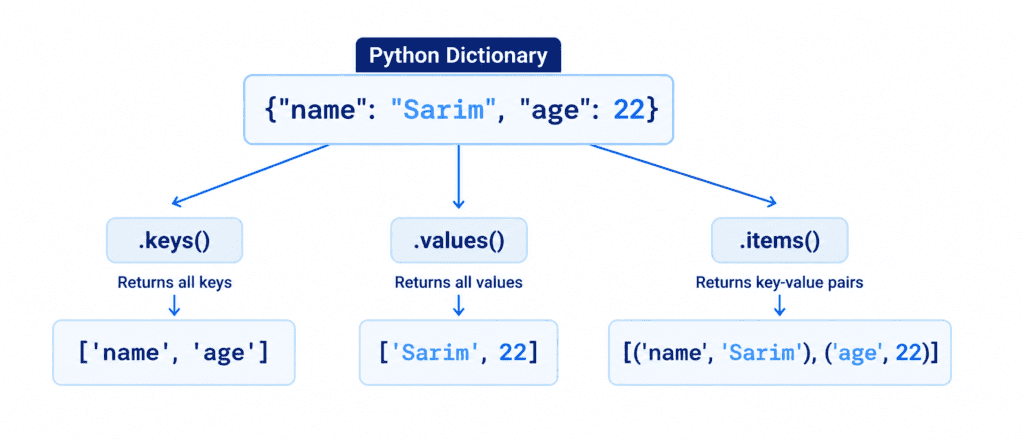
Python provides three very useful built-in methods that allow you to read keys and values from a dictionary independently: .keys(), .values(), and .items().
Getting All Keys (.keys()) #
The .keys() method returns a list-like collection containing only the keys.
student = {"name": "Sarim", "age": 22, "grade": "A"}

print(student.keys())
Output:
dict_keys(['name', 'age', 'grade'])
Getting All Values (.values()) #
The .values() method returns a collection of just the definitions or data values.
student = {"name": "Sarim", "age": 22, "grade": "A"}

print(student.values())
Output:
dict_values(['Sarim', 22, 'A'])
Getting Everything Together (.items()) #
The .items() method returns each key-value pair as a separate Tuple inside a list. This is highly useful when you want to loop through a dictionary.
student = {"name": "Sarim", "age": 22, "grade": "A"}

print(student.items())
Output:
dict_items([('name', 'Sarim'), ('age', 22), ('grade', 'A')])Table #
To keep your concepts clear, use this direct summary table to review dictionary basics:
| Feature / Action | Code Syntax | Output / Action |
| Create Dictionary | my_dict = {"key": "value"} | Creates a key-value collection inside { }. |
| Access Item (Direct) | my_dict["key"] | Returns the value. Crashes if key is missing. |
| Access Item (Safe) | my_dict.get("key") | Returns None silently if key is missing. |
| Get All Keys | my_dict.keys() | Returns only the keys. |
| Get All Values | my_dict.values() | Returns only the values. |
| Get All Pairs | my_dict.items() | Returns each pair as a (key, value) tuple. |