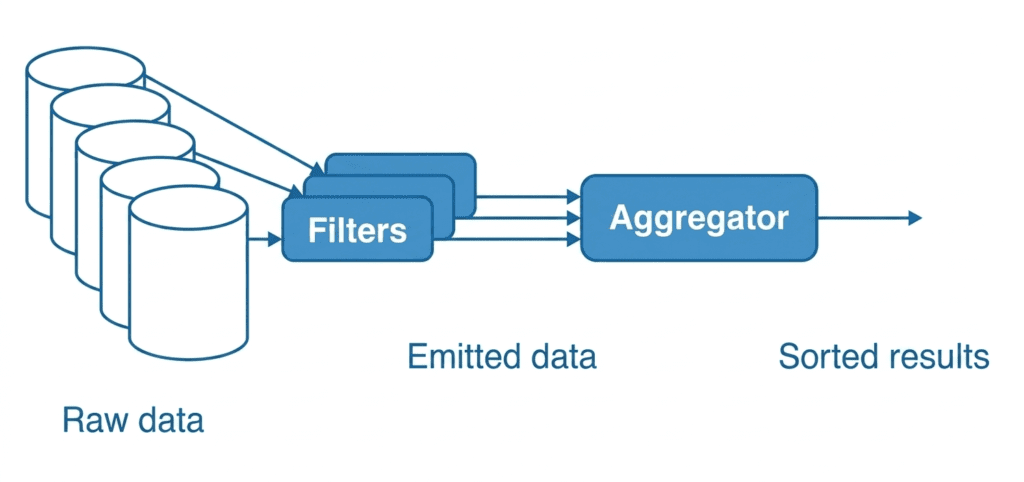
Filtering in SQL (WHERE clause) #
Filtering means:
Returning only the rows that match certain conditions
Basic Syntax #
SELECT column1, column2
FROM table_name
WHERE condition;
AND Operator #
All conditions must be TRUE
SELECT *
FROM employees
WHERE department = 'Sales' AND salary > 50000;
Returns employees who are in Sales and earn more than 50,000
OR Operator #
At least one condition must be TRUE
SELECT *
FROM employees
WHERE department = 'Sales' OR department = 'HR';
Returns employees from either Sales or HR
NOT Operator #
Reverses a condition
SELECT *
FROM employees
WHERE NOT department = 'HR';
Returns all employees except those in HR
IN Operator #
A cleaner way to check multiple values
Less efficient:
WHERE department = 'Sales' OR department = 'HR'
Better way:
SELECT *
FROM employees
WHERE department IN ('Sales', 'HR', 'IT');
Returns employees from Sales, HR, or IT
BETWEEN Operator #
Filters values within a range
SELECT *
FROM employees
WHERE salary BETWEEN 30000 AND 70000;
Returns employees with salary between 30,000 and 70,000
Combine Conditions (Real Example) #
SELECT *
FROM employees
WHERE department IN ('Sales', 'HR')
AND salary BETWEEN 40000 AND 80000
AND NOT city = 'Chicago';
Powerful filtering (real-world use)
Aggregation in SQL #
Aggregation means:
Summarizing data into a single result
Common Functions #
- COUNT() → rows count
- SUM() → total
- AVG() → average
- MAX() → highest
- MIN() → lowest
Basic Example #
SELECT COUNT(*)
FROM employees;
Total employees
Aggregation + Filtering #
SELECT COUNT(*)
FROM employees
WHERE department = 'Sales';
Count of employees in Sales only
SUM Example #
SELECT SUM(salary)
FROM employees
WHERE department = 'IT';
IT department ki total salary
AVG + BETWEEN #
SELECT AVG(salary)
FROM employees
WHERE salary BETWEEN 30000 AND 80000;
Average salary in range
GROUP BY (Important for Aggregation) #
Groups rows to apply aggregation per category
Example #
SELECT department, COUNT(*)
FROM employees
GROUP BY department;
Returns employee count for each department
GROUP BY + WHERE + AND #
SELECT department, AVG(salary)
FROM employees
WHERE salary > 30000
GROUP BY department;
Average salary per department (only for salaries > 30,000)
HAVING (Advanced Filtering) #
Filters grouped results (after aggregation)i
SELECT department, COUNT(*)
FROM employees
GROUP BY department
HAVING COUNT(*) > 5;
Returns departments with more than 5 employees
Quick Difference (Important) #
| Concept | Use |
|---|---|
| WHERE | Row filtering (before grouping) |
| HAVING | Group filtering (after grouping) |
Practice Task (Try Yourself) #
Table: employees
Question:
- Departments: Sales, HR
- Salary: 40k–90k
- City: NOT Lahore
- Show: department-wise count
SELECT department, COUNT(*)
FROM employees
WHERE department IN ('Sales', 'HR')
AND salary BETWEEN 40000 AND 90000
AND NOT city = 'Lahore'
GROUP BY department;