
Data Analysis sounds like a heavy technical term, but in reality, we do it every single day. When you check your mobile phone’s battery percentage and decide when to plug in the charger, or when you compare prices of two different brands on a website before buying—you are doing data analysis.
In the professional world, it’s the same thing, just with more data. Instead of looking at one price, you might look at 10,000 sales records to figure out which month was the most profitable.
Why do we actually need it? #
Imagine you run a small online clothing store. You have a list of all orders. Without analysis, it’s just a long list of names and numbers. With analysis, you can find out:
- Which city buys the most from you?
- What time of day do people usually shop?
- Is your “Buy 1 Get 1 Free” offer actually making you money?
How Python Sees Data #
Before we jump into the heavy tools, let’s see how we use simple Python logic to answer business questions.
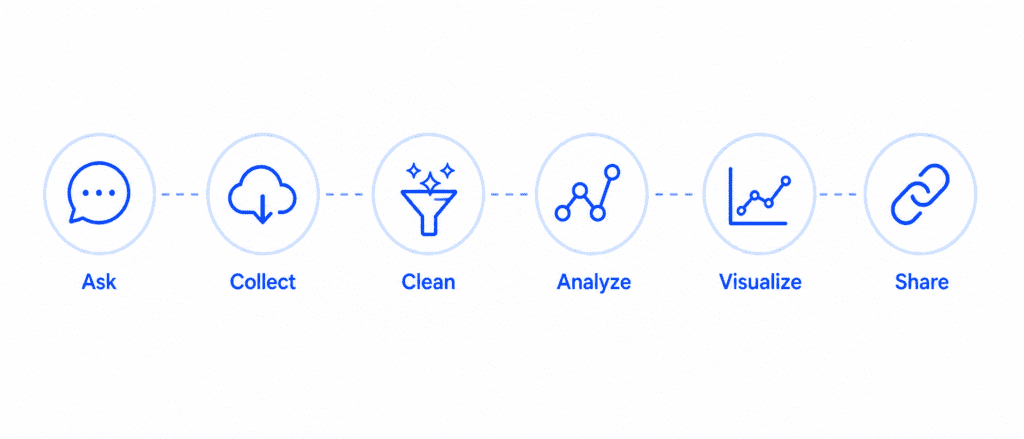
Suppose you have the sales figures for the last five days. You want to know which days were “Good” (sales above 500) and which were “Bad.”
# Daily sales data
daily_sales = [450, 780, 300, 900, 550]
day_number = 1

for sale in daily_sales:
    if sale > 500:
        status = "✅ High Sales"
    else:
        status = "❌ Low Sales"

    print(f"Day {day_number}: {sale} PKR - {status}")
    day_number += 1
What the computer shows you:
Day 1: 450 PKR - ❌ Low Sales
Day 2: 780 PKR - ✅ High Sales
Day 3: 300 PKR - ❌ Low Sales
Day 4: 900 PKR - ✅ High Sales
Day 5: 550 PKR - ✅ High Sales
Transforming Raw Data into Meaning #
Often, data comes in a “raw” format where everything is mixed up. A Data Analyst’s job is to organize it. Let’s take a look at how we can calculate a total and an average from a simple list—this is the foundation of every financial report.
# Monthly expenses
expenses = [1200, 4500, 3000, 1500, 2200]

total_spent = sum(expenses)
average_spent = total_spent / len(expenses)

print("--- Monthly Expense Report ---")
print(f"Total Expenditure: {total_spent} PKR")
print(f"Average per Category: {average_spent} PKR")
What the computer shows you:
--- Monthly Expense Report ---
Total Expenditure: 12900 PKR
Average per Category: 2580.0 PKR
Visualizing the Process #
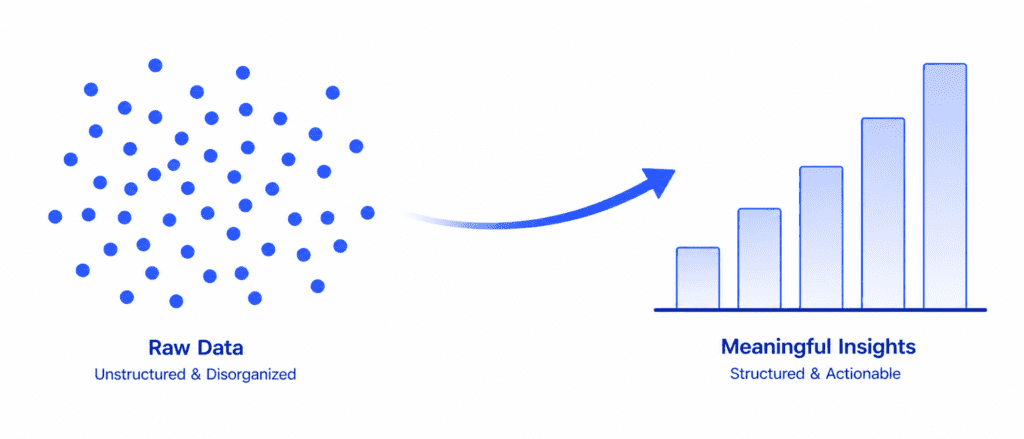
To keep your website readers engaged, they need to see how the data moves from a “Mess” to a “Message.”
Key Concepts Cheat Sheet #
Here is a quick reference table for what we usually do in Data Analysis.
| Step | What happens? | Example |
| Cleaning | Removing wrong info | Deleting a “Zero” price from a list |
| Sorting | Organizing data | Arranging sales from Highest to Lowest |
| Filtering | Picking specific data | Looking only at sales from “Multan” |
| Aggregating | Combining data | Finding the “Total” or “Average” |
Let’s Look at a Real-World Scenario #
Suppose a shopkeeper wants to give a 10% discount, but only to those who bought more than 2 items. Here is how we write that logic simply:
# Items bought by different customers
customer_orders = [1, 3, 2, 5, 1]
price_per_item = 100

for order in customer_orders:
    total_price = order * price_per_item

    if order > 2:
        discount = total_price * 0.10
        final_price = total_price - discount
        print(f"Items: {order} | Discount Applied! | Final: {final_price} PKR")
    else:
        print(f"Items: {order} | No Discount | Final: {total_price} PKR")
What the computer shows you:
Items: 1 | No Discount | Final: 100 PKR
Items: 3 | Discount Applied! | Final: 270.0 PKR
Items: 2 | No Discount | Final: 200 PKR
Items: 5 | Discount Applied! | Final: 450.0 PKR
Items: 1 | No Discount | Final: 100 PKR
Practice Tasks for You #
Try these small exercises to get comfortable with the logic:
- The Goal Checker: Create a variable called
revenue = 15000. If it’s more than 10,000, print “Goal Achieved,” otherwise print “Keep Working.” - The List Sum: Create a list of 5 numbers representing the marks of a student. Calculate their total marks and print them.
- The Even Filter: Take a list of numbers from 1 to 10. Write a small code to print only the even numbers from that list.