
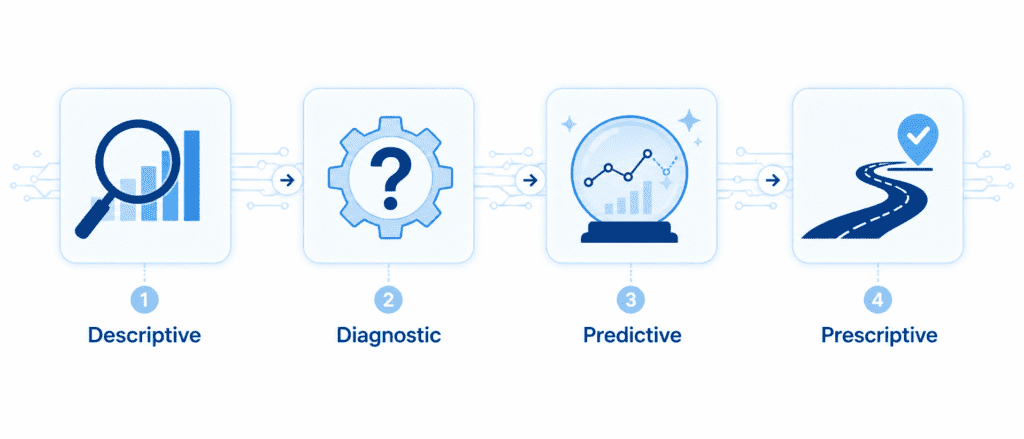
Think of data analysis like solving a mystery. When you walk into a crime scene (your dataset), you first gather facts—that’s Descriptive. Then you dig into clues to understand motives—Diagnostic. After that, you make an educated guess about what might happen next—Predictive. Finally, you decide the best course of action—Prescriptive. Every business problem, from reducing customer churn to optimizing a supply chain, uses this ladder. Let’s climb it step by step, and I’ll show you code that brings each step to life.
The Four Flavors, One Ladder #
To make this stick, here’s a quick bird’s-eye view:
| Type | Core Question | Example Tool | Business Action |
|---|---|---|---|
| Descriptive | What happened? | Summary stats, dashboards | Monthly sales dashboards |
| Diagnostic | Why did it happen? | Correlation, drill-down | Root-cause analysis of a drop in website traffic |
| Predictive | What will happen? | Regression, time series | Forecast next quarter’s demand |
| Diagnostic | What should we do? | Optimization, decision models | Recommending discount levels to maximize profit |
Notice how each type answers a deeper question than the last. And here’s the secret: you rarely use them in isolation. In a real project, you flow from one to the next, building insight upon insight.
Descriptive Analysis: #
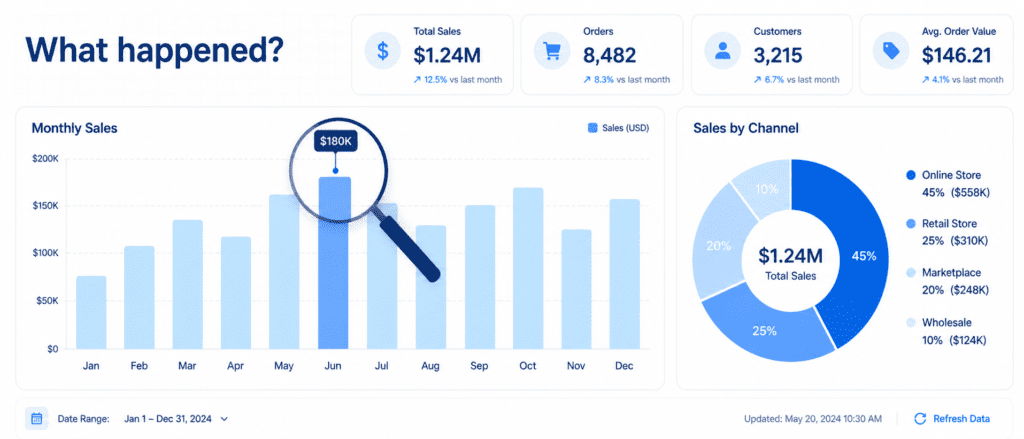
Descriptive analysis is exactly what it sounds like—it describes your data. It uses measures of central tendency (mean, median), spread (standard deviation, percentiles), and visual summaries like histograms and box plots. No judgments, no predictions—just the pure, unvarnished truth of the past.
Let’s work with a tiny sales dataset so you can see it in action. I’ll simulate a month of daily revenue for an online store.
import pandas as pd
import numpy as np

# Create a simple sales DataFrame
np.random.seed(42)
dates = pd.date_range('2026-04-01', periods=30, freq='D')
revenue = np.random.normal(loc=500, scale=80, size=30).round(2)  # mean $500, std 80
df = pd.DataFrame({'date': dates, 'revenue': revenue})

# Descriptive stats at a glance
desc = df['revenue'].describe()
print(desc)
Output:
count     30.000000
mean     503.401667
std       78.846578
min      332.160000
25%      446.132500
50%      501.080000
75%      558.152500
max      697.630000
From these eight numbers, you instantly know the average daily revenue (503),themiddle−of−the−roadday(501 median), and the spread. You can spot that the worst day brought in 332andthebestnearly698. No complex statistics degree needed. When a stakeholder asks, “How did we do last month?” this is your answer.
Diagnostic Analysis: #
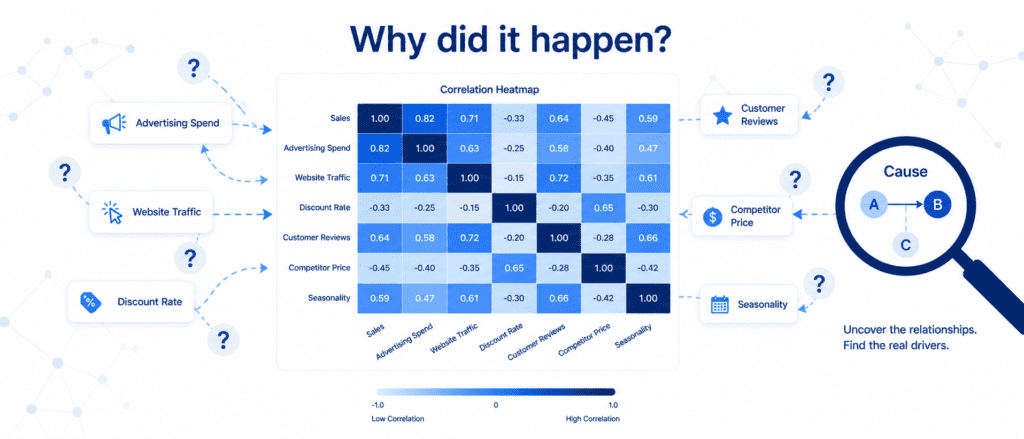
Descriptive told you what; diagnostic tells you why. It digs into relationships, anomalies, and patterns. The most common tool is correlation—does a rise in one thing tend to go with a rise (or fall) in another? But remember: correlation is not causation. Diagnostic analysis often requires domain knowledge to separate coincidence from true cause.
Let’s add some more columns to our dataset to simulate a real diagnostic scenario. Suppose we also recorded marketing spend and website visits each day.
# Add extra columns for diagnostic analysis
df['marketing_spend'] = np.random.normal(150, 30, 30).round(2)
df['website_visits'] = (revenue * 0.2 + np.random.normal(0, 20, 30)).round(0)
# Compute correlation matrix
corr_matrix = df[['revenue', 'marketing_spend', 'website_visits']].corr()
print(corr_matrix.round(2))
You might see something like:
                 revenue  marketing_spend  website_visits
revenue             1.00              0.15            0.71
marketing_spend     0.15              1.00            0.08
website_visits      0.71              0.08            1.00
Revenue and website visits have a strong positive correlation (0.71). That’s a clue—maybe more visitors drive more sales. Marketing spend shows a very weak correlation with revenue (0.15) in this simulation, which itself is diagnostic gold: either our marketing channel isn’t effective, or there’s a time lag we’re not measuring. These insights guide you to ask smarter questions and run further analysis (maybe a lagged correlation or an experiment).
Predictive Analysis: #
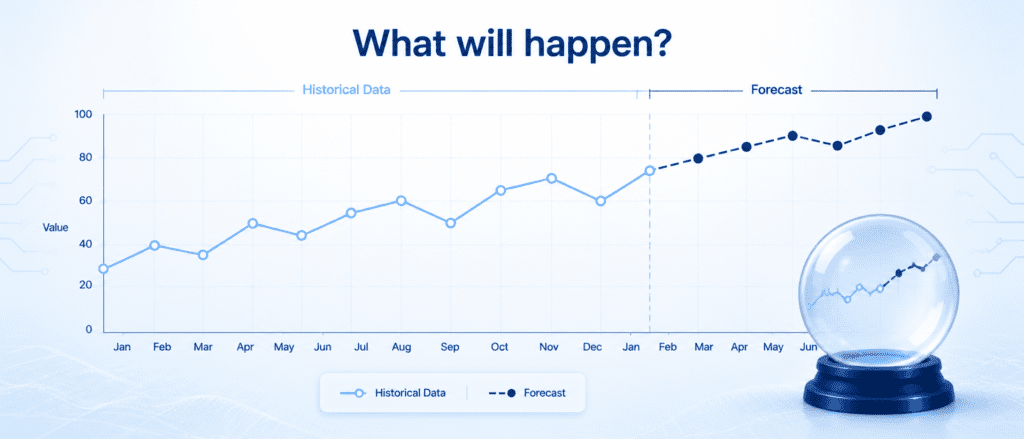
Here’s where you start using the past to forecast the future. Predictive analytics uses statistical models—like linear regression, time series forecasting, or machine learning—to anticipate what’s coming. Don’t let the word “predictive” intimidate you; with a few lines of Python, you can get a meaningful forecast.
Let’s use simple linear regression to predict tomorrow’s revenue based on website visits.
from sklearn.linear_model import LinearRegression
import matplotlib.pyplot as plt

X = df[['website_visits']]
y = df['revenue']
model = LinearRegression()
model.fit(X, y)

# Predict revenue for a day with, say, 1200 website visits
predicted_revenue = model.predict([[1200]])
print(f"Predicted revenue for 1200 visits: ${predicted_revenue[0]:.2f}")

# Optional: quick scatter plot (you can generate your own image from this)
plt.figure(figsize=(7,3))
plt.scatter(df['website_visits'], df['revenue'], color='#1B3A5C', alpha=0.7)
plt.plot(df['website_visits'], model.predict(X), color='#A4D8F0', linewidth=2)
plt.xlabel('Website Visits'); plt.ylabel('Revenue')
plt.title('Revenue Prediction from Visits')
plt.tight_layout()
plt.show()
The model learns the relationship and spits out a number. In the real world, you’d validate this on unseen data, but the concept is straightforward: you’re quantifying the future with a probability baked in. Predictive models are the backbone of demand forecasting, risk scoring, and inventory planning.
Prescriptive Analysis: #
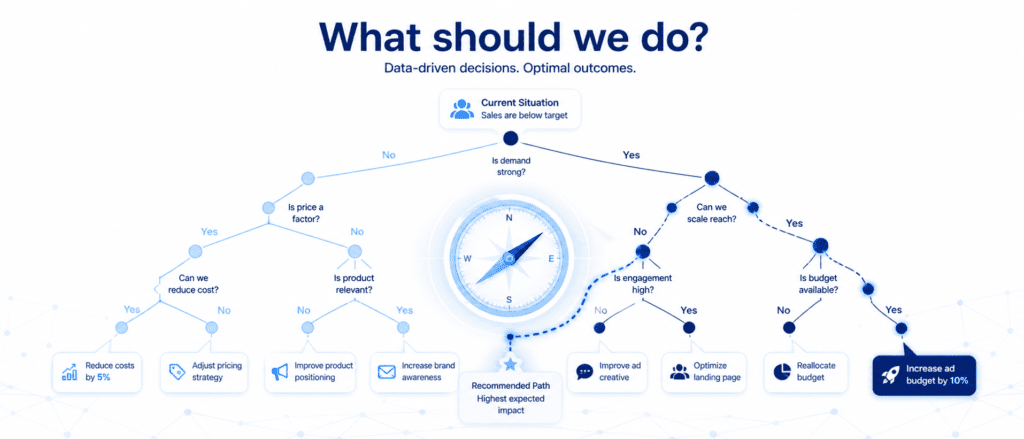
Prescriptive analysis goes beyond predicting what will happen—it tells you what to do about it. It often uses optimization algorithms, simulation, or decision models to recommend the best action given constraints. Think of it as the GPS that not only warns you about traffic ahead but also reroutes you.
For a sneak peek, let’s solve a tiny prescriptive problem: we want to maximize profit by deciding the optimal discount level for a product, assuming a simple relationship.
# Prescriptive: find discount that maximizes profit (simplified model)
import numpy as np

def profit(discount):
    base_price = 50
    base_units = 100
    # Price after discount
    price = base_price * (1 - discount)
    # Unit increase model: lower price increases demand linearly
    units = base_units * (1 + 1.5 * discount)
    cost_per_unit = 20
    return units * (price - cost_per_unit)

discounts = np.linspace(0, 0.5, 100)
profits = [profit(d) for d in discounts]
best_d = discounts[np.argmax(profits)]
print(f"Optimal discount: {best_d*100:.1f}% gives profit ${max(profits):.2f}")
This is a toy example, but in a large retail chain, prescriptive models determine markdown schedules, staff allocation, and supply chain adjustments by balancing hundreds of variables.
Putting It All Together – A Real-World Flow #
Now that you’ve met each type individually, let’s see how they work as a team in a realistic project: customer churn analysis.
- Descriptive: You pull the last quarter’s data and find that 8% of customers churned. You create a churn by plan type (premium, basic) table.
- Diagnostic: You discover that churn is highest among basic-plan customers who haven’t contacted support in the last 90 days. Correlation and cohort analysis confirm the pattern.
- Predictive: You build a logistic regression model that flags which basic-plan customers are most likely to leave next month, using features like tenure, support tickets, and login frequency.
- Prescriptive: The model’s output feeds into a recommendation engine: for high-risk customers, offer a 15% discount on upgrading to premium, because simulations show this maximizes retention ROI within a $10,000 monthly incentive budget.
That’s the ladder in action. The code you saw for each step can be stitched together in a Jupyter Notebook to form a complete pipeline. You’ll start with df.describe(), move to correlation analysis, train a predictive model, and finally wrap it with a simple optimization function. The beauty is that you don’t need to run a massive server farm—Pandas, NumPy, and scikit-learn on your laptop can handle a surprising amount of this.
Practice Challenges #
I want you to get your hands dirty. Try these three mini-tasks on your own to cement the concepts.
- Descriptive challenge: Load the famous Iris dataset (from
sklearn.datasets import load_iris) into a DataFrame. Use.describe()and at least one visualization (histogram or boxplot) to summarize petal length. - Diagnostic challenge: Using the same Iris data, compute the correlation matrix and identify which two numerical features have the strongest positive correlation. Print a short sentence explaining what that relationship might mean biologically.
- Predictive + Prescriptive challenge: Create a synthetic dataset of study hours (1-10) and exam scores (score = 10*hours + random noise). Fit a linear regression to predict score. Then, using that model, determine the minimum study hours needed to achieve a score above 85 (prescriptive twist). Print your recommendation.