
Encoding Categorical Variables #
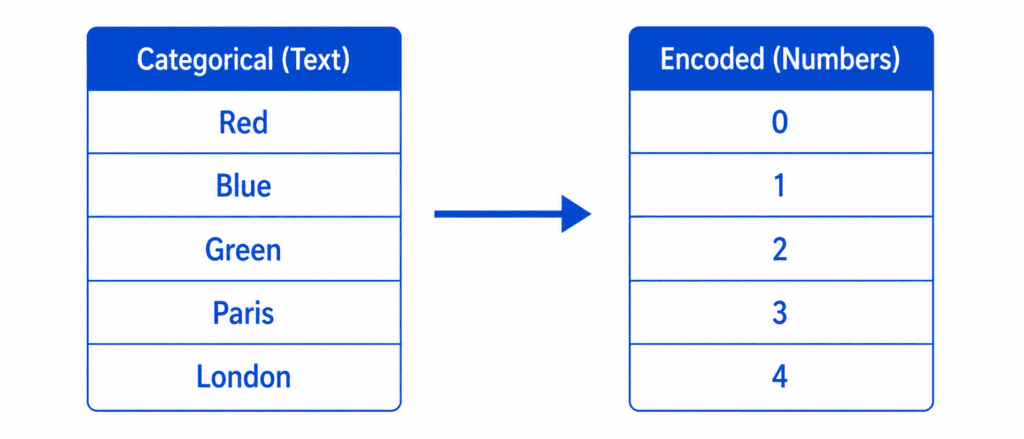
Is an essential step in machine learning because models only understand numbers. Your data may contain words like “Red,” “Blue,” “Paris,” or “London,” but algorithms cannot process text directly. Encoding Categorical Variables converts these categories into numerical values, helping models learn patterns accurately and improve performance.
What Are Categorical Variables? #
Definition: Features that represent categories or groups, not numbers.
| Type | Example | Values |
|---|---|---|
| Nominal | Colors | Red, Blue, Green (no order) |
| Ordinal | Education Level | High School, Bachelor, Master, PhD (has order) |
| Binary | Yes/No | Yes, No |
The Problem: Models cannot understand “Red” or “Paris”. They need numbers.
The Solution: Convert categories to numbers.
Three Main Encoding Methods #
| Method | How it works | Best for |
|---|---|---|
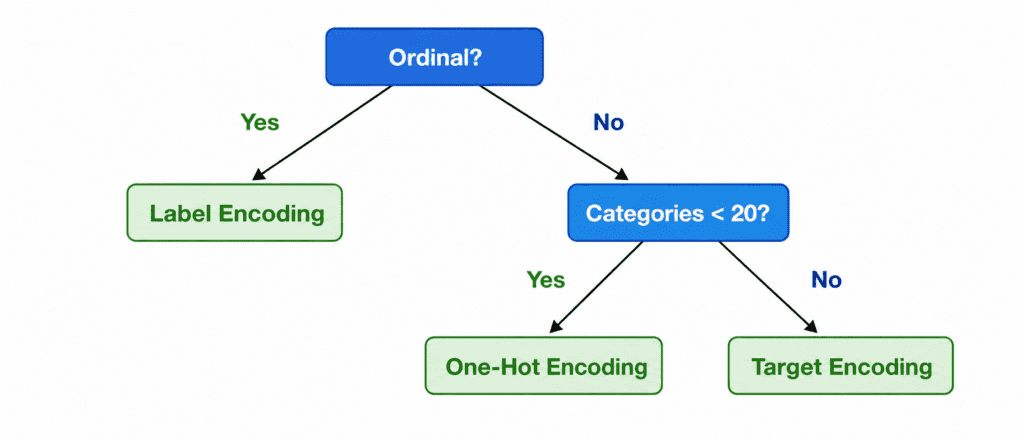
| Label Encoding | Assigns a number to each category (0, 1, 2, 3…) | Ordinal categories (has order) |
| One-Hot Encoding | Creates binary columns for each category | Nominal categories (no order) |
| Target Encoding | Replaces category with mean of target | High cardinality (many unique values) |
1. Label Encoding #
What it does: Assigns a unique integer to each category.
Example:
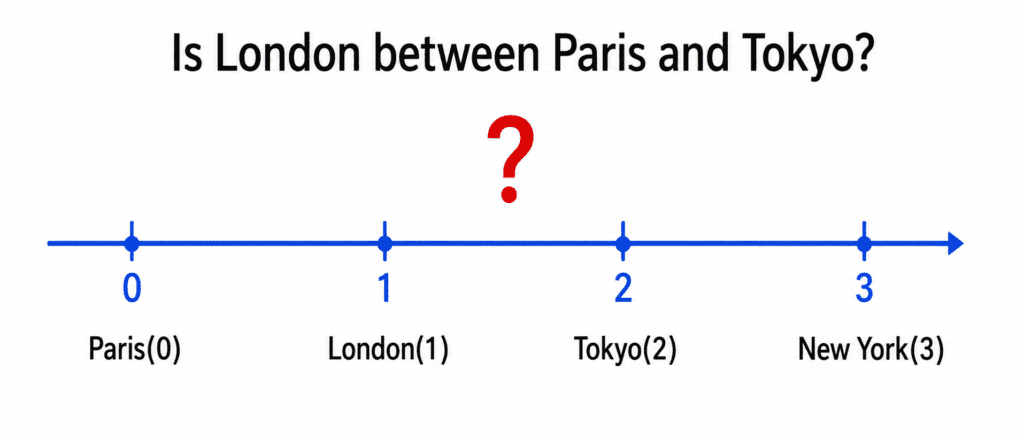
| City | Label Encoded |
|---|---|
| Paris | 0 |
| London | 1 |
| Tokyo | 2 |
| New York | 3 |
The Formula:
No formula. Just mapping: Category → Integer
Code:
from sklearn.preprocessing import LabelEncoder

encoder = LabelEncoder()
df['city_encoded'] = encoder.fit_transform(df['city'])

# Result: Paris→0, London→1, Tokyo→2, New York→3
The Problem (Very Important):
Model sees: London (1) is between Paris (0) and Tokyo (2). It thinks London is “halfway” between them. It thinks New York (3) is “greater than” Tokyo (2).
This is wrong. Cities have no order.
When to use Label Encoding:
| Use Case | Example |
|---|---|
| Ordinal categories (has natural order) | Education: High School(0), Bachelor(1), Master(2), PhD(3) |
| Tree-based models (Random Forest, XGBoost) | They can handle arbitrary numbers |
| Binary categories | Yes(1), No(0) |
When NOT to use Label Encoding:
- Nominal categories with no order (colors, cities, countries)
- Linear models (Logistic Regression, Linear Regression, SVM)
- KNN, Neural Networks (distance-based)
2. One-Hot Encoding #
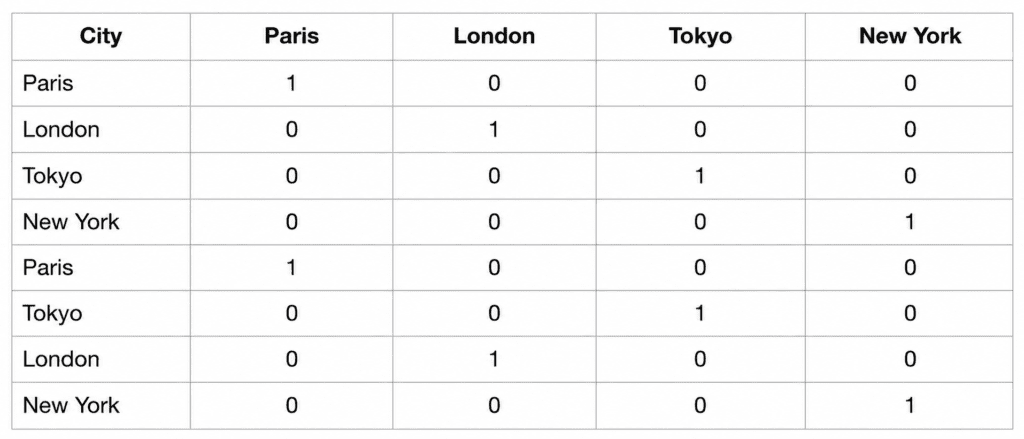
What it does: Creates a new binary column for each unique category. Only one column is “hot” (1) per row.
Example:
| City | Paris | London | Tokyo | New York |
|---|---|---|---|---|
| Paris | 1 | 0 | 0 | 0 |
| London | 0 | 1 | 0 | 0 |
| Tokyo | 0 | 0 | 1 | 0 |
| New York | 0 | 0 | 0 | 1 |
The Formula:
For category k at position i:
Column_k = 1 if category == k else 0
Code:
# Using pandas
df_encoded = pd.get_dummies(df, columns=['city'])

# Using scikit-learn
from sklearn.preprocessing import OneHotEncoder

encoder = OneHotEncoder(sparse_output=False)
encoded = encoder.fit_transform(df[['city']])
The Problem: Too many columns!
| Unique Categories | New Columns Created |
|---|---|
| 10 | 10 |
| 100 | 100 |
| 1,000 | 1,000 |
| 10,000 | 10,000 (huge memory issue) |
When to use One-Hot Encoding:
| Use Case | Example |
|---|---|
| Nominal categories (no order) | City, Color, Product Category |
| Small number of categories (< 20) | Day of week (7), Months (12), Colors (10) |
| Linear models, KNN, Neural Networks | Works well with these |
When NOT to use One-Hot Encoding:
- High cardinality (> 50 unique categories) → Too many columns
- Tree-based models (they handle label encoding well)
3. Target Encoding (Mean Encoding) #
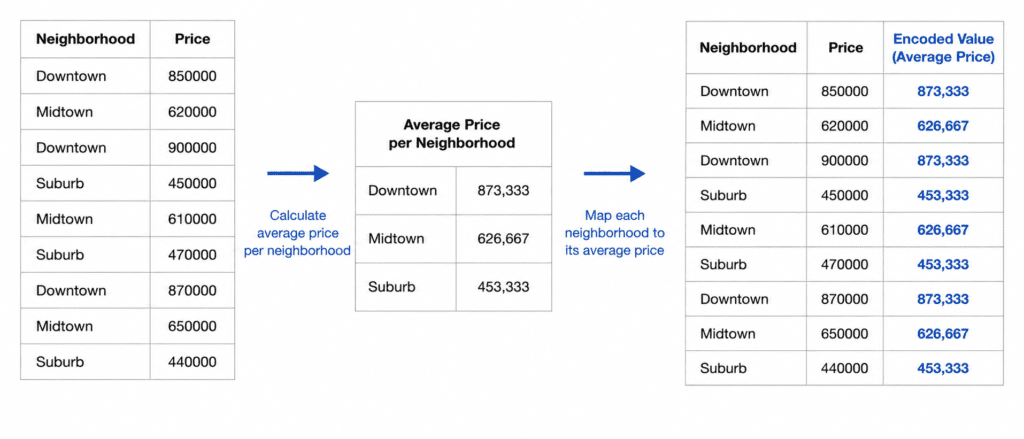
What it does: Replaces each category with the average target value for that category.
Example: Predicting house price based on neighborhood.
| Neighborhood | Average House Price | Encoded Value |
|---|---|---|
| Beverly Hills | $1,500,000 | 1.5M |
| Downtown | $500,000 | 0.5M |
| Suburbs | $400,000 | 0.4M |
The Formula:
For category c:
Encoded Value = Average(target for all rows with category = c)
Code:
# Manual target encoding
target_means = df.groupby('neighborhood')['price'].mean()
df['neighborhood_encoded'] = df['neighborhood'].map(target_means)

# Using category_encoders library
import category_encoders as ce
encoder = ce.TargetEncoder()
df['neighborhood_encoded'] = encoder.fit_transform(df['neighborhood'], df['price'])
The Problem: Overfitting.
If a category appears only once, its encoded value = that single target value. Model memorizes it.
Solution: Smoothing. Mix category mean with global mean.
Smoothed Value = (n * category_mean + m * global_mean) / (n + m)

Where:
n = count of category
m = smoothing parameter (higher = more regularization)
When to use Target Encoding:
| Use Case | Example |
|---|---|
| High cardinality (> 50 categories) | Zip codes, User IDs, Product IDs |
| You have enough data per category | At least 10-20 samples per category |
| Tree-based models (XGBoost, LightGBM) | They handle this well |
When NOT to use Target Encoding:
- Small datasets (risk of overfitting)
- Categories with very few samples
- When you cannot use cross-validation for encoding
Comparison Table #
| Feature | Label Encoding | One-Hot Encoding | Target Encoding |
|---|---|---|---|
| Creates new columns | No (replaces) | Yes (N columns) | No (replaces) |
| Preserves order | Yes (introduces false order) | No | No |
| Handles high cardinality | ✅ Yes | ❌ No (too many columns) | ✅ Yes |
| Risk of overfitting | Low | Low | High (needs smoothing) |
| Works with linear models | ❌ No (false order) | ✅ Yes | ⚠️ Yes (with caution) |
| Works with tree models | ✅ Yes | ✅ Yes | ✅ Yes (best) |
| Default choice | For ordinal only | For low cardinality nominal | For high cardinality |
Decision Flowchart
Quick Quiz #
Q1: You have a “Country” column with 150 unique countries. You are using Linear Regression. Which encoding?
A1: One-Hot Encoding would create 150 columns (too many). Target Encoding is risky with linear models. Consider using embeddings or feature hashing.
Q2: You have “Education Level” (High School, Bachelor, Master, PhD). You are using Random Forest. Which encoding?
A2: Label Encoding. Education has natural order. Random Forest handles it well.
Q3: You have “Color” (Red, Blue, Green) with no order. You are using KNN. Which encoding?
A3: One-Hot Encoding. KNN is distance-based. Label encoding would incorrectly think Red < Blue < Green.
Q4: You have “Zip Code” with 500 unique values. You are using XGBoost. Which encoding?
A4: Target Encoding (with smoothing) or Label Encoding. XGBoost can handle both. Target encoding often works better.